

Flow at a glance
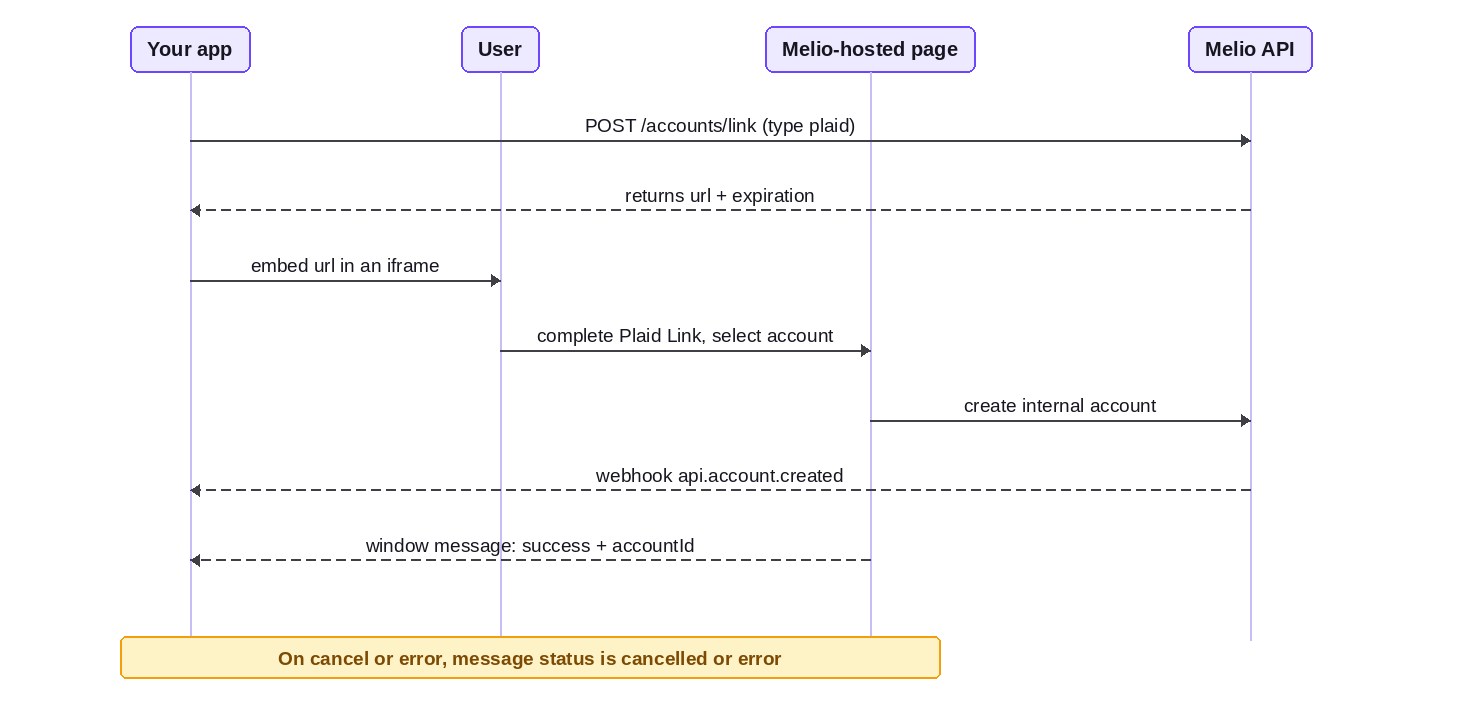
1. Mint the link
Create the link with the accounts endpoint, passingtype: "plaid" (or "card"). See the API reference.
url and its expiration. Mint a fresh link if it expires before the user opens it.
This is a UI screen, so embed the Sonar SDK and forward the
Melio-Sonar-Token on the call (see UI requirements).400- the request is invalid.403 BUSINESS_NOT_ELIGIBLE- a risk or compliance limitation blocks the entity from adding an internal account (checkGET /limitations).404- the entity was not found.
2. Embed it
Embed the returnedurl in an iframe (or redirect the user to it). The hosted page runs the flow and creates the internal account for you.
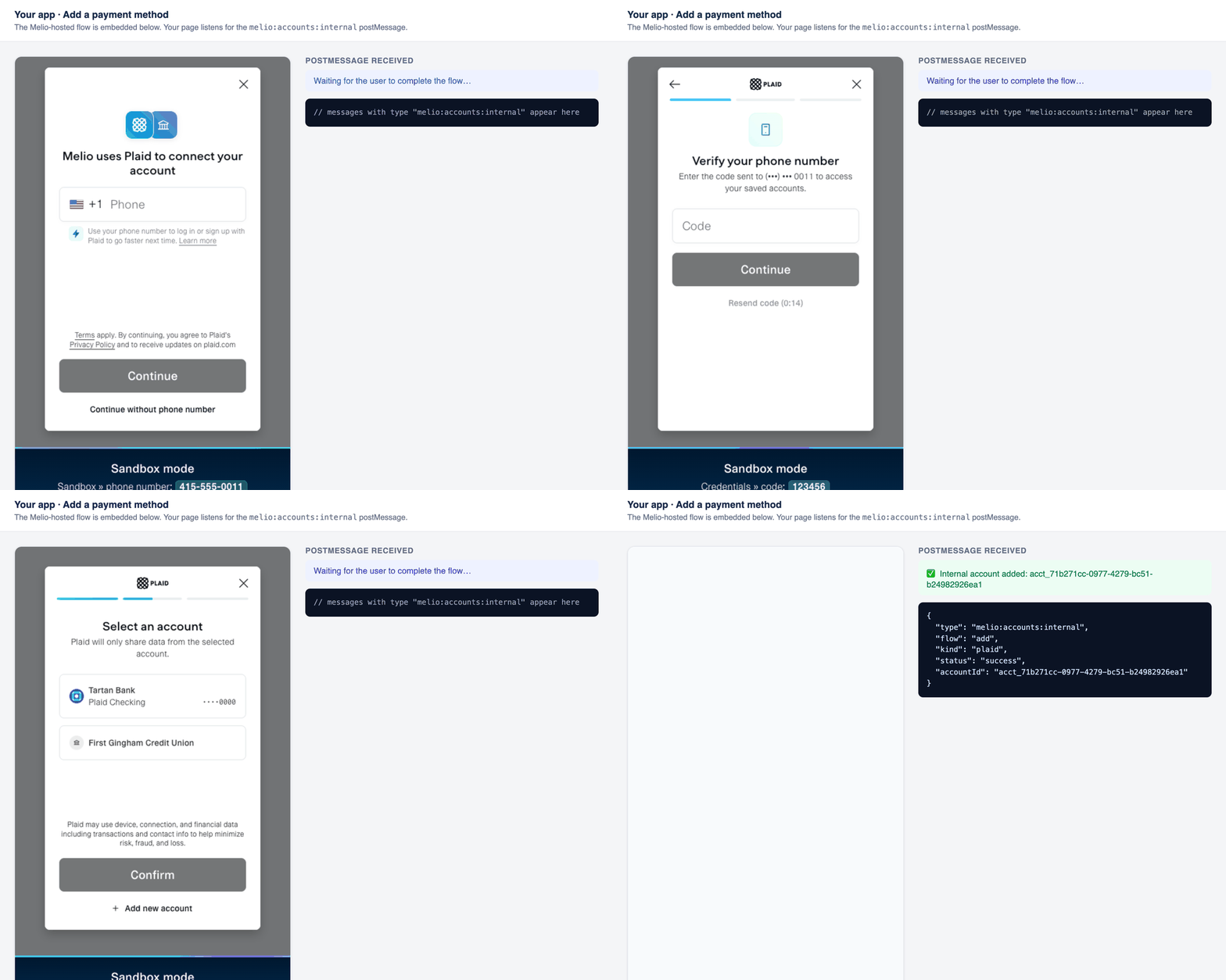
Choosing an account: if the connected bank has more than one account, Plaid Link lists them and the user selects which one to link. That single account becomes the internal account. To add another, mint another link.
3. Listen for the result
When the flow finishes, the embedded page posts amelio:accounts:internal message to the parent window. Listen for it, and always filter on event.data.type:
{ type, flow, kind, status, accountId?, message? }.
flowis"add"(adding a new account) or"verify"(verifying an existing one - Plaid only; see Verify links).kindis"plaid"or"card".statusis"success","cancelled", or"error".accountIdis present only whenstatusis"success";messageis present only whenstatusis"error".
The card flow has no
cancelled event (there’s no Plaid Link to exit), and there is no verify + card combination.
As a best practice, also verify
event.origin matches Melio’s hosted domain before acting on the message.Success
The user completed the flow.accountId is the new acct_... internal account. (A Plaid-backed account is returned with type: "ach".)
isVerified: false with micro-deposits to follow (complete it later with a verify link - see below). You can’t originate a payment from an unverified account.
Cancelled (the exit event)
This is the exit event, and it’s Plaid only. If the user exits Plaid Link inside the flow - closes it, taps back, or abandons a step - the flow reportscancelled. There is no accountId, and no account is created. The card flow never emits this status.
Error
Something went wrong during the flow.message describes what; let the user retry.
When the account is created, and the webhooks
Melio creates the internal account when the user completes the hosted flow (for Plaid, after they select an account and confirm; for card, after the card is tokenized). You do not call a create endpoint yourself. The window message is a UI signal; the webhooks are the source of truth. Subscribe to:
So the reliable pattern is: on the
success message, reconcile against api.account.created (or GET /accounts); then watch api.account.updated to know when an unverified account clears micro-deposit verification.
How this affects status:
- Completed (success): the internal account exists.
isVerifiedistrue(usable right away) orfalse(micro-deposits pending - not usable for payments until it verifies). - Cancelled or browser closed: no account is created and no status changes. Nothing to clean up.
Get and use the account
Onsuccess, use the accountId to fetch the full account:
GET /accounts?ownershipType=internal.
Once isVerified is true, use the account as the funding source on a payment by passing its id as originatingAccountId:
Set
externalId on the account to map it to your own ledger id, then look it up later with GET /accounts?externalId=... - no need to store Melio ids.Card flow
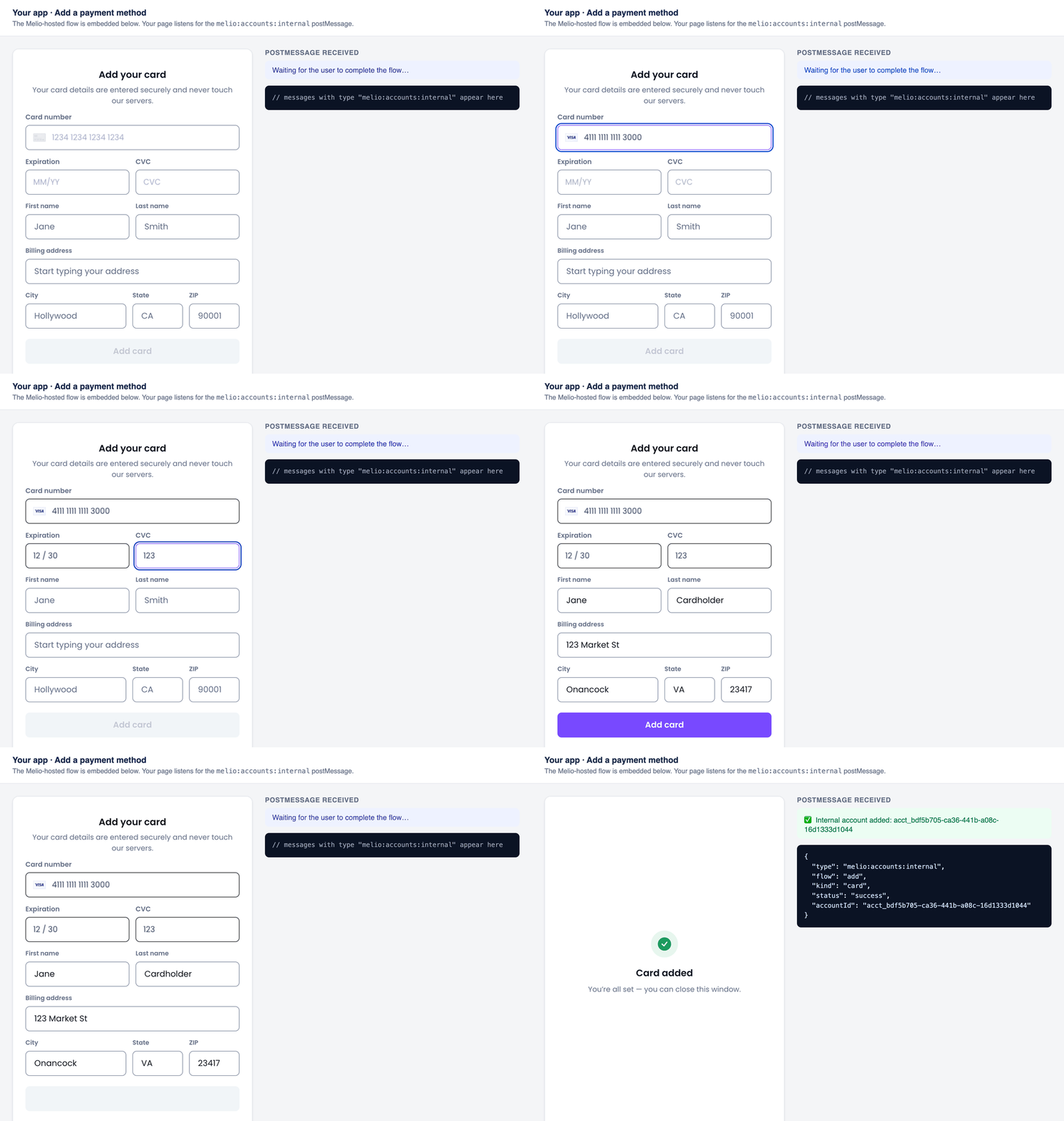
The card flow works the same way: mint the link withtype: "card", embed the url, and listen for the same melio:accounts:internal message (with kind: "card"). The hosted page shows PCI-compliant fields for the card number, expiry, and CVC, plus cardholder and billing address; the card is tokenized in the browser, so full card details never reach your servers.
Because there’s no Plaid Link to exit, the card flow emits only success or error - never cancelled.
Verify links
An internal Plaid account that came back unverified (isVerified: false) is completed with a verify link: POST /accounts/{accountId}/verify/link. It reuses the Plaid flow and emits the same message, with flow: "verify" and kind: "plaid" - success, cancelled, or error, just like the add flow. When it clears, api.account.updated fires.